Explore all Klient PSA capabilities organized by category
MCP Data1 is the MCP for Salesforce PSA that lets you run Klient PSA projects, tasks, resourcing and time — and now clone template projects and read back messaging transcripts — by talking to your AI assistant.
Official Salesforce MCP servers can read Knowledge but can't run it. MCP Knowledge1 gives your AI the full lifecycle: draft, publish, version, archive.
PLANNY1 reads your live Klient PSA data every morning and surfaces the risks your records already contain — ranked, with next actions — so you don't discover on Friday what your data already knew on Monday. $1,000 one-time. Powered by Agentforce.
Staff Klient PSA in plain language. Add resources, assign people to projects and tasks, book weekly hours, move bookings, and swap people — without opening the planner.
An AI Klient skill that creates, governs, and bulk-migrates Salesforce Knowledge Articles by conversation, following every Lightning Knowledge rule for you.
Move projects, plans, people and timesheets into Klient PSA from Certinia, Smartsheet, Asana or Excel: sandbox first, every decision explicit, exact rollback.
The Klient Project Planner is an AI project planner that builds phased and agile project plans in Klient PSA from a plain-language conversation, no manual setup.
Fill and review your Klient PSA timesheet in plain language. Log hours, correct entries, auto-draft a week from your schedule, and check status without touching the grid.
Paste a call transcript and get the follow-up email, the minutes and the to-dos — then sync those to-dos into tracked Klient PSA tasks, one confirmation at a time.
Meet STAFFY1, the Agentforce resource-management agent for Klient PSA that scans capacity, finds staffing gaps, proposes best-fit resources with reasoning, and writes assignments only after you approve them.
Timey is an AI timesheet assistant in Klient PSA, built on Salesforce Agentforce, that drafts your week from your schedule, calendar, and logged time for you to review and submit — and creates and updates the project work behind it, within limits you set.
Meet TOUCHY1, the Agentforce copilot for CSMs that preps meetings, writes follow-ups, and updates your CRM right on the Klient Task.
Sync projects, tasks, and invoices from Klient PSA to Accounting Seed, the Salesforce-native accounting integration that needs no external connection.
Klient PSA connects natively to QuickBooks Online for bidirectional invoice, expense, and payment sync with multi-company support and 7 configurable feature toggles.
Connect Klient PSA with Sage Intacct for automatic bidirectional sync of projects, invoices, expenses, and resources. Native Salesforce integration with flexible configuration.
Klient PSA Generate Invoice streamlines project billing with flexible invoice generation, an interactive workspace, branded PDF output, and multi-currency support.
Klient PSA Prepayments lets you create project prepayments, apply credits to invoices, and track balances in real time within Salesforce.
Recognize revenue with configurable templates for % Complete, Equal Split, and Billing Event methods. Track deferred revenue, manage contract lines, and automate recognition in Salesforce.
Learn how Vendor Invoices tracks and manages subcontractor costs in Klient PSA. Covers generating bills from approved timesheets and expenses, invoice lifecycle management from Draft to Paid, and sync with Sage Intacct, Xero, and QuickBooks.
Share real-time project Gantt charts with clients and partners through secure, read-only workspace URLs. No Salesforce licenses required for external viewers.
Klient PSA Surveys brings customer feedback collection into Salesforce with six question types, embedded email questions, and real-time response tracking from Project and Account records.
Klient PSA Global Kanban gives teams a visual cross-project task board inside Salesforce. Drag-and-drop tasks, filter by project, and save presets for instant views.
Manage all your projects in one view with Klient PSA Global Workspace. Gantt charts, grid views, filters, and customizable columns for Salesforce project portfolio management.
Klient PSA My Deadlines gives every user a personal task workspace organized by due date. Filter with pills, customize columns, quick-add tasks, save presets, and switch to a calendar.
Feature Spotlight for the New Project Page in Klient PSA. Create projects with customizable fields, contributor assignment, and one-click template import.
Close a finished project in one step: archive it, lock time entry and clear its leftover assignments and future hours from the Resource Planner, with a preview first.
Feature Spotlight for the Project Import Wizard in Klient PSA. Create projects from templates, browse 4 template sources, add tasks to existing projects, and reschedule dates automatically.
Project Transpose lets you shift all project task dates at once or selectively move specific tasks with their dependencies in Klient PSA for Salesforce.
Manage projects, tasks, and resources from a single Salesforce-native workspace with Gantt charts, inline editing, keyboard shortcuts, and flexible data exports.
Manage tasks with 11 specialized tabs for editing, scheduling, time tracking, and collaboration directly within your Salesforce project views with Klient PSA.
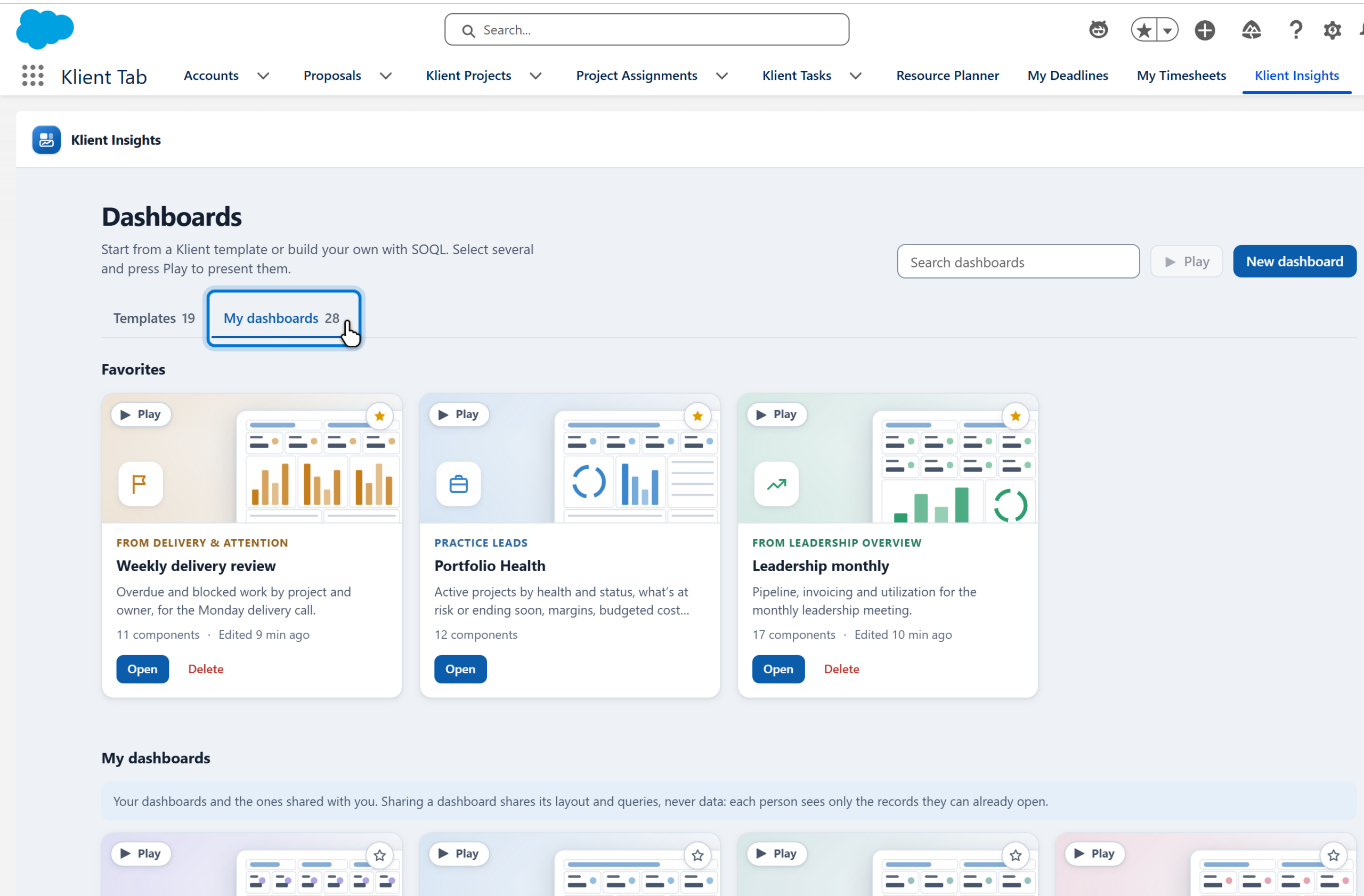
Klient Insights brings ready-made PSA dashboards to Salesforce: 19 templates, joined objects, dynamic filters, drill-down and a meeting player.
Updated via doc-review-comments — 4 text edits + S1/S2 screenshots injected
Generate professional, client-ready project status reports in Salesforce with real-time data, customizable sections, and PDF export. Share via email or web access.
Track project health with Snap Workspace. Create snapshots, monitor SPI and CPI, and visualize trends with six interactive charts in Klient PSA.
My Schedule gives you a personal Gantt-style planner to view and manage all your task assignments and scheduled hours across projects in Klient PSA.
Plan, schedule, and optimize resource allocation across your project portfolio with Klient PSA's Resource Planner, built natively on Salesforce.
Streamline resource staffing with Klient PSA Resource Requests. Search availability, compare candidates, and book resources directly in Salesforce.
Monitor resource utilization rates, billable hours, and team capacity in Klient PSA. Automated weekly and monthly tracking with real-time dashboards and configurable targets.
Two independent toggles — Group By Role and Resource Workload — add role-based Gantt organization and a resource allocation histogram to the Workspace in Klient PSA.
Bulk-edit, move, and delete a whole team's logged time from one grid in Klient PSA — including fixing the Billable flag on approved time.
Track missing and incomplete timesheets with Klient PSA. Send automated email reminders, generate compliance records, and monitor submission rates with built-in reports and dashboards.
Log time from the Salesforce mobile app: see your week at a glance, log hours for one day or the whole week on one screen, and submit, with the same rules as the desktop.
Track billable and non-billable hours with Klient PSA My Timesheets. Enter time weekly, submit for approval, and manage your project hours directly in Salesforce.
View events from Salesforce, Google Calendar, and Outlook in one place and create accurate timesheet entries directly from calendar events with automatic hour calculation.
Track project time effortlessly with Klient PSA Quick Time Entry. Built-in timer, one-click logging, and seamless Salesforce integration for accurate timesheet management.
Approve timesheets in bulk with Klient PSA Mass Timesheet Approval tool. Configurable filters, split-level approval, recall workflows, and PTO integration for Salesforce.
Klient Jira Sync delivers bidirectional integration between Salesforce-native Klient PSA and Atlassian Jira Cloud via REST API. No double entry.
Link a Klient PSA project to one Jira work item, such as an Epic, so several Klient projects can share one Jira project and each syncs only the work under its own item.
The Klient PSA Time Tracker for Jira lets consulting teams log time directly from Jira issues to Salesforce PSA — with live project data and Jira context captured automatically.
This article has moved. See How to Upgrade Klient PSA.
Learn how presets save your view configuration across Klient PSA interfaces including Workspace, Kanban, Resource Planner, Request Planner, and My Deadlines.
Learn how to filter projects and tasks in Klient PSA using standard filters, custom conditions, filter logic, and relative dates across Workspace and Kanban views.
Account is a standard Salesforce object. Klient PSA adds custom fields to support project delivery, billing, and resource management. This reference documents the Klient (Krow__) customizations on Account.
Reference for Krow__Account_Code_Mapping__c: account codes for QuickBooks/Xero plus Sage Intacct custom field mappings, with field dictionary and validation rule.
Reference for the Klient PSA Billing Type object (Krow__Billing_Type__c): billing method, default product, overage and pre-paid hours settings, and related records.
Field reference for the Contract Line object (Krow__Contract_Line__c) in Klient PSA: pricing, the route to an invoice, budget impact, and the revenue basis.
Reference for the Klient Expense object (Krow__Expense_Krow__c): field dictionary, roll-up totals, approval status, accounting-sync fields, and buttons.
Reference for the Expense Line object (Krow__Expense_Line__c): an itemized cost line under an Expense, with amount, tax, allocation, billing, multi-currency and accounting fields.
Reference for the Expense Rate object (Krow__Expense_Rate__c): the per-unit rate applied to an Expense Type, optionally scoped to a Project and effective-dated.
Reference for the Krow__Expense_Type__c configuration object: fields controlling expense category behavior, limits, billable/reimbursable defaults, tax, and accounting codes.
Holiday Dates are used within Holiday Schedules to specify the individual holidays observed by your organization.
A Holiday Schedule is a collection of holidays observed by your company, stored as individual Holiday Date records.
Field reference for the Invoice object (Krow__Invoice__c) in Klient PSA: billing fields, totals, tax, PDF formatting, accounting integrations, and child items.
Reference for the Invoice Additional Item object (Krow__Invoice_Additional_Item__c): manual invoice lines for charges, products, prepayment credits, and write-offs.
Object reference for Krow__Invoice_Expense_Item__c: the billing line tying a reimbursable expense to a Klient PSA Invoice for inclusion, tax, and accounting sync.
Reference for Krow__Invoice_Fixed_Fee_Item__c: a fixed-fee line on a Klient Invoice covering amounts, pricing, tax, prepayment, write-off, and accounting fields.
Reference for the Invoice Line Item object (Krow__Invoice_Line_Item__c): a billable detail line on a Klient Invoice capturing hours, rate, tax, and amounts.
The Klient Project object is at the core of all your project management activities in Klient PSA. This article provides a complete reference of all fields, components, validation rules, and related objects.
The Klient Survey object stores the configuration of a survey sent to your customers, including its questions and responses.
The Klient Survey Answer object contains the answer to a specific question within a Klient Survey Response.
The Klient Survey Question object contains the information for a specific question within a related Klient Survey.
A Klient Survey Response is created for each survey recipient to store data about their response and related answers.
The Klient Task object (Krow__Task__c) is the core building block of project execution in Klient PSA. It allows you to divide your project into several parts, track their progress, assign them to different team members, and monitor time and cost.
Reference for the Klient PSA Location object (Krow__Location__c): a lightweight reference record storing a location name, created via the Onboarding Wizard.
Reference for the Organization object (Krow__Organization__c) in Klient PSA: billing Company and Vendor record with logo, tax, invoicing, work schedule, and accounting integration fields.
Reference for the Payment object (Krow__Payment__c): records an amount paid against a customer Invoice, with Account, Payment Date, and QuickBooks ID.
The Practice object helps you classify and filter records (projects, resources) in Klient views and reports.
Reference for the Proficiency Rating object (Krow__Proficiency_Rating__c): named skill-proficiency levels stored as percentage values.
Field dictionary, validation rules, layouts, and data model for the Klient PSA Project Assignment object (Krow__Project_Assignment__c).
Reference for the Project Rate Card object (Krow__Krow_Rate_Card__c): a reusable set of billing rates applied to projects to populate Bill Rates on assignments.
Reference for the Project Rate Card Role object (Krow__Krow_Rate_Card_Role__c): a master-detail child of Project Rate Card linking a Role to a Bill Rate.
The Project Resource object (Krow__Project_Resources__c) represents a person or placeholder resource in Klient PSA. It stores default rates, roles, and organizational data for resource assignment, utilization tracking, and time management.
Junction object linking a Project Resource to a Team, supporting multi-team membership with a Primary flag and derived team context fields.
Reference for the Klient PSA Project Role object (Krow__Krow_Role__c): a role with Name and Active flag, looked up by Klient Tasks and resources.
The Region object helps you classify and filter records in Klient views and reports by geographic region.
Reference for the Resource Utilization object (Krow__Resource_Utilization__c): period hours, capacity, and the formula utilization percentages it derives.
Field reference for the Service Contract object (Krow__Contract__c) in Klient PSA: the contract header, where contracts come from, and the totals it rolls up.
The Skill & Certification object identifies the skills and certifications of your team members so you can plan resources more efficiently.
Field dictionary, data model, and validation rules for the Klient PSA Task Assignment object (Krow__Task_Assignment__c), which assigns a resource to a task.
The Task Checklist object lets you add to-do (checklist) items to a Klient Task, optionally driving task completion when all items are checked.
A Team groups Project Resources together for collective assignment to project work, with an optional Team Lead acting as the default task owner.
The Time Off object represents a period during which a Project Resource is normally scheduled to be available but is not working.
Configuration object that classifies time-off categories and controls whether each type is counted in resource utilization.
The Time-Off Split object represents a single day within a Time Off record.
Reference for the Timesheet object (Krow__Timesheet__c): weekly time container per resource driving approval, utilization, billing, and cost.
Object reference for Krow__Timesheet_Detail__c (Timesheet Detail) in Klient PSA: a weekly Timesheet line capturing daily hours, rates, notes and PTO/holiday flags.
Field reference for the Timesheet Split object (Krow__Timesheet_Split__c): the line-item breakdown of a Timesheet recording hours logged per date, project, and task.
Work Schedules are associated to Project Resources to define their weekly availability (planned hours per day).